
Remove PDF Pages Online
Drag & Drop your PDF Here…
Click on pages to select/deselect
Pages removed
PDF files often becomes bulkier due to either duplicate pages or pages you do not need. These unwanted pages slow down overall operations, increasing upload and download times, which leads to frustration.
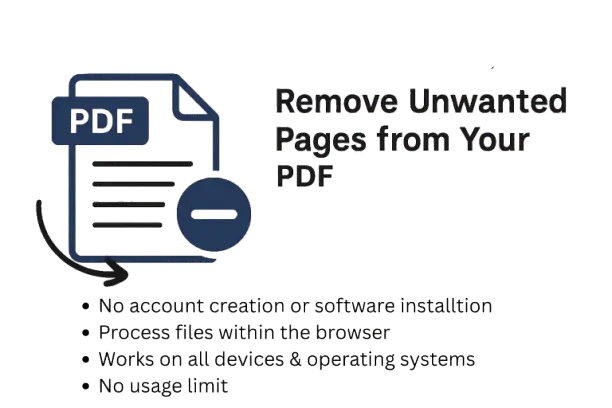
There are several websites available to fix this issue, but the majority of them work only when you download their software or complete a sign-up process. Which again is a time-consuming task, especially when you have an important document to share or submitting a job application. To fix this issue you need a quick, reliable tool that works instantly without any sign-up or software. Our “Remove PDF Pages Online” tool allows you to remove all the unwanted pages from your PDF file within a few seconds. But sometimes removing pages alone doesn’t give you the target file size, so in that case you can always compress your file to 100KB, 200KB or 500KB.
How to Remove Pages from PDF
Now that you know about the tool, let’s take a look at how to use it because you cannot use anything unless you follow the steps properly, so here are the steps:
Follow these simple steps to remove pages from your PDF:
1. Select PDF File: Click “Select PDF File” button, a pop-up window will open, and choose the file or you can also drag and drop it in the upload area
2. Choose and Delete the Pages: Once your file uploads successfully, all the pages will show up. Click on the pages you want to delete, and press “Remove Pages.”
3. Download PDF File: Now that the pages have been removed, click on the download button to download the new version of your PDF file with all the unnecessary pages removed
When do we remove Pages from PDF
There are several occasions where removing pages from a PDF file becomes mandatory, and we will be discussing some of the important ones below:
Remove Confidential Information:
If you are sharing a PDF file with a friend or a client but one of the pages contains confidential information (transactional or personal informational) that you do not want others to see, it is better to remove such a page.
Reduce File Size:
Unwanted pages make a PDF file heavy and heavy files take a lot of time while downloading, uploading or sharing. It is always better to check your PDF file before sharing or uploading and remove unnecessary pages. However, if you’re facing the opposite situation, where your file is too small to be uploaded, you can always increase your PDF file size instead.
Benefits of our PDF pages Removal Tool
Now that you have learnt about the benefits of removing unwanted pages, its time to take a look at why you should choose our “PDF pages Removal Tool” and what benefits you get so lets take a look:
Easily Remove Unwanted Pages
This PDF page removal tool is so easy to use that even a common person without having extensive knowledge of using a computer or working online can remove pages instantly. You can simply upload the file, select the pages, and press remove
Free PDF Page Remover:
Most of the tools available online will either ask you to sign up, purchase a subscription, or download software. They normally allow you to use their tool completely free for few days, but after the trial period ends, you have to pay montly charges. Our tool on the other hand is completely free, you can use it as many times as you want
No quality loss:
The quality of your PDF files will never be compromised, your text and images will remain as sharp as the original ones
Accessible from Any Device:
People use different devices, such as PC, Laptop, Tablet, Smartphone, while using the internet daily, keeping this in mind, our tool works equally well on all of these devices
Fast, Browser-Based Editing
When the majority of the tools today work through sign-ups or downloading software, our tool works directly within your browser and instantly deletes PDF pages.
Secure Page Deletion
Internet is not a safe place and even the most secure data can sometimes get leaked. Therefore our tool processes all your files directly within your browser without storing it on any server which keeps your data safe.
Frequently Asked Questions
Q: How many pages can I remove?
Ans: You can remove as many pages as you want, but there should be at least 1 page remaining
Q: Are my files safe?
Ans: Yes, all processes take place inside your browser so your data never leaves the system which keeps your files absolutely safe
Q: Can blank pages be removed from PDF Files?
Ans: Yes, you can remove blank pages or any unwanted pages using our tool and it works equally well on every kind of page
Q: Can I revert the changes after deleting PDF pages?
Ans: Yes, the tool creates a new copy when you delete pages and your original page will always be there.
Q: Are there any limitations on how many pages I can delete?
Ans: No, there are no limitations, you can delete as many pages as you want but one page should always be there